
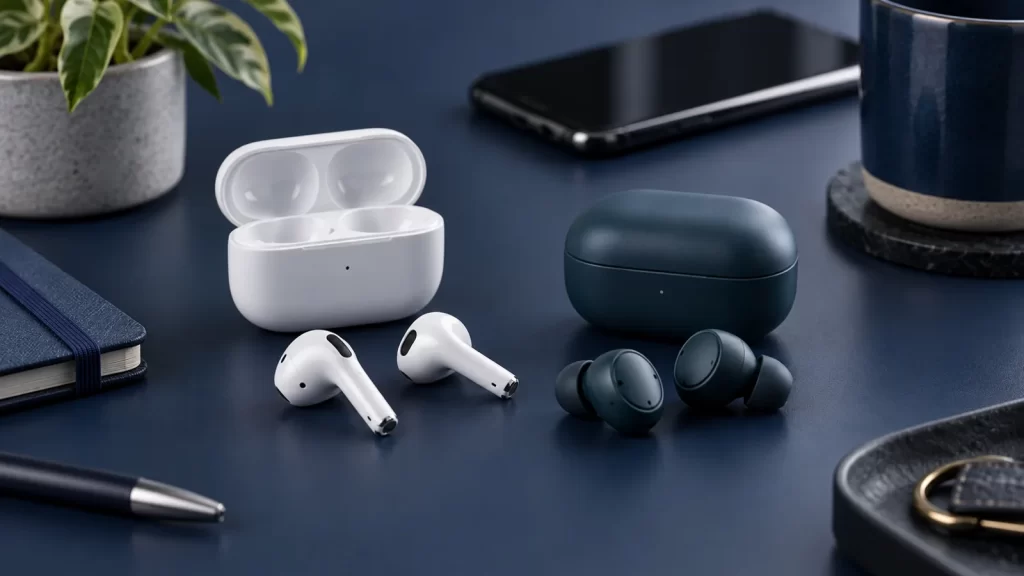
“AirPods vs Raycon” is not one fixed comparison. Apple sells several AirPods models, and Raycon sells different earbuds for everyday use, fitness, and other needs. A five-year-old chart that labels all AirPods as one product and all Raycons as another will get battery life, noise cancellation, charging, and water resistance wrong. This guide instead compares identifiable current models and shows how to choose by fit, phone compatibility, listening environment, and total cost.
As of September 2026, the most useful starting points are Apple’s AirPods 5 and AirPods Pro 3, alongside Raycon’s Everyday Earbuds and Fitness Earbuds. Manufacturer specifications change and retailer listings may show older revisions under similar names. Check the exact model, SKU, and seller page before ordering. We have not performed independent listening, microphone, or durability lab tests, so subjective sound and noise-cancellation rankings would be unjustified.
The quick decision
Choose AirPods if you use an iPhone, iPad, Mac, or Apple Watch and value Apple’s device integration, Find My options, and features available on compatible software. Choose AirPods Pro 3 over an open-fit model if a sealed fit and Apple’s stronger noise-control feature set matter enough to justify the cost. Choose Raycon Everyday Earbuds if you prefer a silicone-tip in-ear design, want the current Raycon feature set at its advertised price, and do not need Apple-specific conveniences. Consider Raycon Fitness Earbuds when ear stability during movement is the central requirement. These are starting points, not blanket claims that one brand sounds better for every listener.
The first question is not “Which brand wins?” but “Which two exact models am I deciding between?” AirPods 5 has two case versions with different manufacturer battery claims and charging options. AirPods Pro 3 is a separate in-ear product. Raycon Everyday and Fitness differ in fit components, stated endurance, and intended use. A fair comparison must keep those distinctions visible rather than borrowing a favorable specification from one model to describe the entire brand.
Start with fit: open-fit and sealed earbuds feel different
AirPods 5 uses an open-fit shape without a removable silicone seal. Many people like the less plugged-up sensation and the ease of dropping a bud in for short calls. Others cannot keep that shape secure or find that outside sound masks their music. Ear shape varies enormously; a shape that looks small in a photograph may press uncomfortably on one person’s ear or feel loose in another’s. A generous return window matters more than a confident internet claim that any bud “fits everyone.”
AirPods Pro 3 is the Apple option with silicone ear tips; Apple’s specifications list five sizes. A good seal can change both bass perception and active-noise-control performance. A poor seal may make even a technically capable earbud sound thin and let more external noise in. Try more than the default tip size, and assess comfort after a meaningful listening period, not just the first ten seconds. If a tip causes pain, do not keep pushing it deeper to improve sound.
Raycon Everyday Earbuds also use soft gel tips, while Raycon Fitness Earbuds are designed around a more secure exercise fit. The physical fit is a genuine reason to consider Raycon, especially if open-fit buds fall out. But “in-ear” does not automatically mean comfortable; tip material, nozzle angle, pressure, and personal anatomy all matter. A sports-stability claim should be tested with the movements you actually perform, such as walking, lifting, or running. If you have sensitive ears, compare retailer return conditions before buying either brand.
Fit also changes the sound comparison. A well-sealed lower-cost earbud can produce more perceived low bass than an open-fit premium model simply because less acoustic energy escapes. Conversely, someone who dislikes isolation may prefer the open feel even if it admits more noise. Keep fit separate from driver quality and tuning. Before judging sound, match playback volume, use the correct tip size, and compare familiar recordings in the same environment.
Sound quality: what specifications cannot tell you
Both brands advertise audio features, but a specification sheet cannot establish which tuning you will enjoy. Frequency-response ranges such as “20–20,000 Hz” describe a broad operating range, not how evenly an earbud reproduces each frequency in your ear. Bluetooth version numbers do not prove better musical detail. Marketing words such as “high fidelity,” “immersive,” or “balanced” are not measurements. Without controlled listening or independent measurement, a reviewer should not declare that Raycon always has more bass or that Apple always has clearer treble.
Instead, compare three listening tasks. For speech, play a podcast or audiobook at a comfortable level and ask whether consonants remain clear. For music, play a track you know well and listen for bass that does not swamp vocals or instruments. For video, notice whether audio and picture stay synchronized on the device you use most. Repeat at a similar loudness; louder often seems more exciting even when the underlying quality has not improved.
Apple lists Adaptive EQ and personalized spatial audio for AirPods 5, while AirPods Pro 3 has a broader audio-control package. The usefulness of such features depends on compatible Apple devices, settings, source content, and personal preference. Raycon’s product pages describe its own listening modes. If you use a music-service equalizer, make one small adjustment at a time and avoid adding so much bass that speech becomes muddy. Our Spotify equalizer walkthrough can help you locate those controls, though any suggested curve should be treated as a preference, not a universal ideal.
Volume deserves equal attention. If outside noise makes you turn music up, consider a better seal or appropriate noise control rather than continually raising output. The World Health Organization’s safe-listening guidance notes that sound level, exposure duration, and frequency all affect hearing risk. Good earbuds should let you enjoy content at a comfortable level, not encourage a louder contest between brands.
Noise cancellation and awareness modes
The original article said Raycon had no active noise cancellation. That is no longer accurate for the current Everyday Earbuds: Raycon advertises ANC and Awareness modes on its product page. Fitness Earbuds also advertise ANC. Apple lists active noise cancellation on AirPods 5 and AirPods Pro 3, although the open fit of AirPods 5 and the sealed Pro fit are physically different approaches. Do not compare a current model with a discontinued revision and call it a brand result.
Active noise cancellation uses microphones and processing to reduce some outside sound, especially steady lower-frequency noise. It is not a soundproof wall. Sudden voices, alarms, and irregular noises may still come through, and effectiveness depends heavily on fit and conditions. Manufacturer “times better” claims are usually comparisons under a specific test method, not a direct Apple-versus-Raycon score. Without common independent measurements, we cannot honestly rank the ANC of these products by a number.
Transparency or Awareness modes intentionally let more surroundings through. They can be helpful when hearing a station announcement or talking briefly, but they are not a substitute for taking earbuds out when full attention is needed. Never rely on any mode as the sole safety measure near traffic, while cycling, or when operating machinery. The mode you can engage quickly and understand reliably may matter more than a long feature list.
A practical store test is to compare a steady ventilation hum, nearby conversation, and your own voice at matched volume. Notice pressure or hiss when ANC is on, not just how much noise seems to disappear. Check whether switching modes is easy with gloves or damp fingers if you exercise. If a return policy allows home testing, try the same route or room for each pair instead of comparing one in a quiet shop and the other on a train.
Battery life: read the conditions, not just the largest number
Apple’s AirPods 5 specifications distinguish the standard USB-C case from the wireless-charging-case version. With ANC enabled, Apple states up to four hours on one charge for the former and up to five for the latter; with noise control off, the stated figures are up to six and seven hours. The corresponding ANC-enabled case totals are up to 20 and 22 hours. These are manufacturer test claims. Actual listening time depends on volume, calls, environmental noise, feature use, battery age, and temperature.
Apple lists up to eight hours of listening on one charge for AirPods Pro 3 with ANC enabled and up to 24 hours with its MagSafe charging case under the stated conditions. These figures should not be combined with AirPods 5 figures in a generic “AirPods battery” row. Raycon’s current Everyday page lists about nine hours of call or play time and about 36 hours total with the case. Raycon’s Fitness page lists about 12 hours and about 56 hours total, with model-specific conditions. An “up to” figure is a planning ceiling, not a promise for every day.
If you normally listen in one-hour blocks, case charging and reliability may matter more than a nine-versus-eight-hour earbud claim. If you need a full workday of calls without a break, examine the continuous-call figure and return policy closely. Compare like with like: ANC on against ANC on, earbud-only against earbud-only, and case-inclusive against case-inclusive. A listing that says “36 hours” may include multiple recharges in the case; it does not mean the tiny earbuds play for 36 hours uninterrupted.
Charging standards also vary. The AirPods 5 standard case uses USB-C, while its other version supports wireless charging and adds a Find My speaker; AirPods Pro 3 has a MagSafe case. Raycon’s current product information should be checked for the exact case and cable supplied with the variant you buy. The old article’s assertion that Raycon generally uses micro-USB is obsolete. Think about whether you already carry a USB-C charger or a compatible wireless pad, and whether replacing a lost case would be easy and economical.
iPhone, Android, and multi-device use
AirPods can pair as Bluetooth audio devices with non-Apple hardware, as Apple’s technical specifications acknowledge, but some functionality can be limited outside its ecosystem. On an iPhone, compatible AirPods models can offer easier setup and integration with Apple’s software and account-based device features. The exact experience depends on operating-system and firmware versions. If your main phone is Android, do not pay for an Apple feature you cannot use without first checking compatibility.
Raycon’s Everyday page describes Bluetooth pairing and multipoint connection to two devices. If moving between a work laptop and personal phone is important, test what happens when a call arrives while music is playing on the other device. “Multipoint” is a feature claim, not a guarantee that every app and operating system will switch exactly as you expect. AirPods’ automatic switching is most meaningful within compatible Apple devices; ordinary Bluetooth pairing to a PC is a different workflow.
Pairing problems are sometimes blamed on the wrong product. Check that the earbuds are charged, remove stale entries in the phone’s Bluetooth settings, and follow the manufacturer’s current pairing instructions. If one earbud stops connecting, reset the pair according to its model manual before assuming a hardware defect. Readers comparing alternatives may find our Bose-to-iPhone pairing guide useful for understanding the general Bluetooth steps, though its model-specific controls should not be copied to AirPods or Raycon.
For classrooms or shared equipment, consider whether the earbuds will be used with a Chromebook, Windows computer, tablet, or television. Basic Bluetooth sound may work while app-dependent controls, firmware updates, and advanced spatial features do not. If you depend on a particular accessibility control or hearing feature, verify the full chain: earbud model, phone model, operating-system version, region, and supporting app. A checkbox on a comparison chart cannot capture all those dependencies.
Calls and microphone performance
Call quality matters differently from music quality. Your listener hears the microphones, voice processing, connection, and room acoustics—not the speaker drivers in your ears. Apple and Raycon each describe microphone or voice technologies, but their promotional names do not provide a controlled comparison. A reviewer who has not recorded side-by-side samples in the same conditions should not claim one is always “crystal clear” or superior.
Test calls in at least two environments: a quiet room and a place with moderate, predictable background noise. Record a short voice memo or ask a trusted caller to describe intelligibility, wind pickup, and volume. Keep your phone placement consistent. A good seal may help you hear the other person, but it does not automatically make your own voice clearer to them. If meetings are your main use, put microphone behavior above spatial-audio marketing.
Controls matter during calls. Can you mute, accept, end, and adjust volume without touching the phone? Apple lists specific press controls for AirPods 5 and AirPods Pro 3; Raycon’s instructions vary by model. Learn the controls before a work meeting. Physical, force, or touch controls are a preference, and accidental activation can matter more than the number of gestures advertised.
Water, sweat, dust, and workouts
Water-resistance ratings require careful interpretation. Apple lists IP57 for AirPods 5 and AirPods Pro 3, including their specified cases. Raycon’s current Everyday page lists IPX4, while its Fitness product page advertises IPX7. Those ratings use different test categories and cannot be turned into a simple “brand A wins” statement. The X in IPX4 does not mean certified dust protection; it means a dust rating is not specified in that code. Check the exact model and whether the case shares the buds’ rating.
Neither brand’s earbuds should be treated as swimming equipment merely because a page uses the word “waterproof.” Apple’s care guidance explicitly says its relevant AirPods are not designed for swimming or showering and that resistance can diminish over time. With Raycon, follow the model manual and warranty terms rather than assuming a lab rating covers salt water, detergent, high-pressure jets, or prolonged soaking. Dry earbuds before returning them to the case.
For exercise, fit and control may dominate the number on the IP label. Try a short jog, bending movement, and a warm-up with the correct tips; assess whether either bud loosens. If one falls out, consider a different size or shape before replacing it with an identical pair. If you need awareness of other people, use an appropriate listening mode or remove the earbuds in risky areas. Sweat resistance does not make traffic awareness optional.
Price, warranty, and the real cost of ownership
Prices change with region, retailer, color, promotion, and model version. A fixed “AirPods cost X, Raycon costs Y” table is likely to go stale quickly. Compare the checkout total on the official or reputable retailer pages on the day you buy, including tax, shipping, and return costs. Confirm that the seller is authorized and that the listing identifies the current model. A deep discount on an older revision is not necessarily a bad deal, but it should be evaluated against that revision’s specifications, not today’s model page.
Both companies describe limited warranty coverage rather than universal lifetime replacement. Apple’s AirPods service page describes one-year coverage for manufacturing issues under its limited warranty. Raycon’s shipping and returns policy describes a one-year limited warranty for products bought from its site and a separate 30-day return framework with conditions. Local consumer-law rights may differ. Read exclusions for accidental damage, water exposure, battery wear, and purchase channel before treating warranty length as a simple tie-breaker.
Consider case and tip replacement, the risk of losing a single bud, and whether a local service channel exists. A slightly cheaper initial purchase can become expensive if a lost case cannot be replaced affordably. Conversely, paying more for ecosystem conveniences you will never use may not be worthwhile. Write down your three nonnegotiable requirements and the actual purchase price for the models under consideration; that usually clarifies the decision faster than scanning another broad “best brand” ranking.
Accessibility and daily usability
If you depend on hearing accommodations, do not treat earbuds as interchangeable just because both connect over Bluetooth. Apple’s AirPods 5 specification lists features such as Live Listen, headphone levels, and headphone accommodations within compatible Apple systems, while AirPods Pro 3 lists additional hearing-related functions with regional, device, and software requirements. Those features are not the same as a professionally fitted hearing device for everyone. Check Apple’s eligibility notes and consult a hearing professional about medical needs. Raycon’s product pages describe their own controls and modes, but do not assume they expose the same operating-system integrations.
Consider one-handed use, touch sensitivity, and whether you can distinguish right from left without reading small marks. Someone wearing gloves may prefer one control style; someone with tremor may prefer another. Try the actual gestures you use most—play, pause, call answer, volume, and mode change—before buying. Voice assistants can reduce manual interaction, but only when the earbud, phone, account, language, and connectivity support the desired command. A feature list does not show whether the interaction feels dependable in your routine.
For a school or office, microphone mute feedback may matter more than entertainment features. Check whether an audible cue or screen indicator tells you when the mic is muted. If you use only one earbud at a time, verify whether the model handles mono listening, calls, and controls as you need. People sharing a room may also prefer a transparency or awareness setting so they can hear a colleague, but should remove the earbuds for conversations that require undivided attention.
Buying an older or refurbished pair
An older AirPods or Raycon model may be discounted, but its features should be checked against its own specification sheet. A retailer might show AirPods 4, AirPods 5, Everyday Earbuds from an earlier revision, and today’s Everyday Earbuds in adjacent search results. Compare product names, case type, connector, model number, and included accessories. Do not use this article’s 2026 figures to judge a 2023 box. If a listing omits the model identifier, ask the seller before paying.
For used wireless earbuds, battery condition is a larger uncertainty than external appearance. Rechargeable cells lose capacity with age and use; an advertised original “up to” runtime is not a measurement of the used pair. Confirm whether the case charges both buds, inspect charging contacts, test each side separately, and ask about the seller’s return policy. Also check that the prior owner has removed any account or Find My association where required. A bargain that cannot pair properly or has a failing battery can cost more than a straightforward new purchase.
Counterfeit products are another risk with popular designs. Packaging alone is weak evidence. Purchase through the manufacturer or a reputable authorized seller when possible, keep the receipt, and use official support steps to check model details. Do not upload a serial number or personal order details to a random verification site. Even a genuine serial number copied onto a fake product is not conclusive; combine seller trust, physical inspection, pairing behavior, and available return rights.
How to run your own fair comparison
Begin by narrowing to two exact products and identifying their revision or SKU. Confirm the seller’s return conditions. Try each with your main phone and, if relevant, your laptop. For sealed buds, experiment with tip sizes. Use the same few songs, spoken clips, and call contacts, and match volume as closely as you can. Record observations rather than a single overall score: comfort after one hour, stability, speech clarity, background-noise behavior, microphone intelligibility, controls, and case convenience.
Do not try to infer sound quality from Bluetooth generation or a claimed frequency range. Do not compare one model with ANC off and the other on. Do not run a battery test with different volumes and declare a universal result. If real-world endurance is important, start both at a full charge, choose a repeatable listening mode and volume, and note the time until the low-battery warning. A single result is still only your scenario, but it is more useful than a mixed-condition marketing table.
For a student moving among iPhone, Mac, and iPad every day, Apple integration may save enough friction to outweigh a lower competing price. For a commuter with an Android phone who prefers a silicone seal and wants an easily understood feature set, Raycon Everyday may be a sensible candidate. For a runner whose existing open-fit buds fall out, compare Raycon Fitness with AirPods Pro 3 on actual retention and comfort. For a person who dislikes any sealed ear tip, the open AirPods 5 design may decide the matter before battery specifications do. These are examples of matching needs, not endorsements or tested performance verdicts.
Outdated claims to ignore
“Raycon does not have ANC” is false for its current Everyday and Fitness models. “All AirPods use the H1 chip” is false for the current models discussed here. “Raycon uses micro-USB” is not a reliable description of its current lineup. “AirPods have no meaningful water resistance” is likewise inaccurate for the stated AirPods 5 and Pro 3 ratings. “Raycon always has two years of warranty” conflicts with its current one-year policy. These old generalizations are why model-specific manufacturer pages belong in any comparison.
Equally, resist new overstatements. An IP57 rating does not make AirPods safe to swim with. A larger case-inclusive battery number does not prove the buds can run longer continuously. A manufacturer’s ANC claim does not establish how it compares to a rival in a different laboratory. A public user-review average can be informative but is vulnerable to selection effects and may combine revisions. Treat each claim as evidence of a particular scope, not as permission to generalize beyond it.
Which should you buy?
If you want the shortest answer, select for fit first, device ecosystem second, and specific features third. AirPods 5 is the Apple open-fit route; AirPods Pro 3 is its silicone-tip route with a more extensive feature set. Raycon Everyday is a current in-ear alternative with ANC, Awareness, and the manufacturer’s stated longer case-inclusive endurance; Fitness is its exercise-oriented alternative. Verify each product’s exact configuration, use matched-condition battery comparisons, and check today’s total price and return rights.
No brand can promise the best sound or comfort for every ear. The right purchase is the one that stays secure, lets you hear safely and clearly, works with your devices, and fits your budget after you have checked the current model rather than an outdated chart. If possible, buy from a seller that allows a practical home trial, and keep the packaging until you know the fit works.